 how-to
Can Smart Appliances Work Without Internet?
Table of Contents
- Can Smart Appliances Work Without Internet?
- Smart Appliances Without Wi-Fi: What's Actually Possible
- Local Control Smart Home Devices and How They Operate
- Smart Home Devices That Work Without Internet Connection
- What Happens to Smart Home Devices When Internet Is Down
- Internet Outage vs. Router, Wi-Fi, and Power Failures
- How to Verify Offline Capability Before You Buy
- Security and Privacy Trade-Offs With Local Control
- Frequently Asked Questions
Last Updated: October 11, 2026
Can Smart Appliances Work Without Internet?
Yes, many smart appliances can work without internet, but understanding whether can smart appliances work without internet depends on how they're designed and what features you need. Some appliances continue running basic operations through local control, while others lose critical features when disconnected from cloud services. Understanding which functions work offline versus which require internet connection is essential before you buy smart kitchen or laundry equipment.
At The Appliance Wizard, we help homeowners in Southern Illinois navigate smart appliance decisions with clarity. When you're investing in smart technology, you need to know exactly what happens when your Wi-Fi goes down or your internet connection fails. This guide breaks down the real-world offline behavior of smart appliances so you can make informed choices for your home.
Smart Appliances Without Wi-Fi: What's Actually Possible
Smart appliances can operate without Wi-Fi, but the extent depends on whether they support local control or rely entirely on cloud services. A refrigerator with local control can adjust temperatures through its physical panel or a local network connection. A washing machine with local processing can run preset cycles without phoning home to a manufacturer's server.
The key difference lies in architecture. Devices built for local-first operation process commands on the appliance itself. Devices designed around cloud dependency send every command to a remote server, which then instructs the appliance what to do. When your internet drops, cloud-dependent devices either freeze or fall back to basic manual controls.
Here's what matters: not all smart appliances are created equal. Some manufacturers prioritize local control. Others prioritize cloud features like remote monitoring and app-based scheduling. Before buying, verify which model uses which approach.
Local Control Smart Home Devices and How They Operate
Local Networks vs. Cloud Dependency
Local control devices communicate through your home network using protocols like Zigbee, Z-Wave, Thread, or Matter. These devices talk directly to a smart home hub or controller on your local network. They don't need the internet to function, they need only the local network itself.
Cloud-dependent devices, by contrast, send commands through the internet to the manufacturer's servers. The servers process the request and send instructions back to the appliance. If your internet connection fails at any point in this chain, the appliance can't receive updated commands.
The practical difference is reliability. A local control device continues working if your internet goes out. A cloud-dependent device becomes a dumb appliance the moment your connection drops.
Smart Home Hubs and Local Processing
A smart home hub acts as the local brain of your system. Hubs like those using Matter, Zigbee, or Z-Wave standards sit on your local network and communicate directly with compatible appliances. The hub processes automation logic, schedules, and routines without needing to contact cloud servers.
Local processing means your smart thermostat can run its heating schedule even if the internet fails. Your smart lights can respond to motion sensors. Your smart lock can unlock with a keypad code. The hub handles all of this locally.
Without a hub, many smart devices default to cloud communication. They become dependent on internet connectivity for almost every function. If you're building a smart home, choosing a hub-based system with local processing is the most resilient approach.
Smart Home Devices That Work Without Internet Connection
Offline capability varies dramatically by appliance type and manufacturer. Understanding which functions persist on each device category helps you prioritize which appliances to buy with local-control support.
Smart Refrigerators
A smart refrigerator with local control can adjust temperature settings through its physical touchscreen or buttons without internet. Ice-maker cycles, water dispensing, and basic cooling continue normally. However, remote features stop immediately: you lose the ability to check internal camera feeds from your phone, receive alerts about door-open events, or monitor energy consumption through the app. Grocery-list synchronization and recipe suggestions that rely on cloud services become unavailable. The refrigerator functions as a traditional appliance with a digital interface, reliable, but no longer "smart" in the connected sense.
Smart Ovens and Ranges
Smart ovens with preset cycles can execute those cycles using local controls. A convection bake cycle, broil function, or stored recipe can run without internet. Physical knobs and buttons always work. However, app-based remote preheating, recipe downloads, and remote temperature monitoring all require cloud connectivity. Some smart ovens cannot start a cycle remotely if internet is down, even if you're standing in front of the appliance, the app simply won't communicate with the device. Preheat notifications and cycle-completion alerts stop arriving on your phone.
Smart Washers and Dryers
Smart washers with local processing can run saved wash cycles without internet. A stored "delicate" or "heavy-duty" program executes normally. Physical buttons and knobs operate the machine. However, remote cycle start, cycle monitoring, and leak-detection alerts all depend on cloud connectivity. Many smart washers cannot receive a remote start command if your internet is down. Cycle-completion notifications won't reach your phone. If the washer has a built-in leak sensor, it may still detect leaks locally, but it cannot send alerts to your phone or trigger automations with other smart home devices.
Smart Thermostats
Smart thermostats are among the most resilient offline devices. A thermostat with local scheduling can run its heating and cooling schedule without internet. If you've programmed the thermostat to heat to 68°F at 6 a.m. on weekdays, that schedule executes locally even if your internet is down. Physical buttons on the thermostat always work. However, remote temperature adjustments through your phone app stop working. Geofencing (automatically adjusting temperature when you leave home) requires cloud connectivity. Energy reports and usage analytics become unavailable. Some thermostats lose advanced learning features that depend on cloud machine-learning models.
Smart Lighting
Smart lights connected to a local hub (using Zigbee, Z-Wave, or Thread) continue responding to local automations without internet. Motion-sensor lighting works. Scheduled dimming works. Scene activation through a physical button or hub interface works. However, remote control through your phone app stops. Voice commands through Alexa or Google Assistant fail because those services require cloud connectivity. Lights connected directly to Wi-Fi without a hub typically cannot function at all during an internet outage, because they have no local fallback.
Smart Locks
Smart locks with local control can unlock using physical keypads, fingerprint readers, or mechanical keys without internet. Scheduled unlock times (e.g., unlock at 8 a.m. for the cleaning service) execute locally if the lock supports local scheduling. However, remote unlock through your phone app stops working. Lock-status notifications and access logs won't sync to the cloud. Guest access codes that rely on cloud provisioning may not work. Some smart locks revert to basic keypad-only operation during internet outages.
Smart Cameras
Smart cameras are heavily cloud-dependent. Most cannot record or stream video locally without internet connectivity. Some newer models support local recording to an on-device SD card or a local network-attached storage device, but this requires specific hardware and setup. Live viewing through your phone app requires internet. Cloud-based motion alerts stop arriving. If your camera has no local recording option, an internet outage means you lose all monitoring capability until connectivity returns.
What Happens to Smart Home Devices When Internet Is Down
Functions That Continue Working
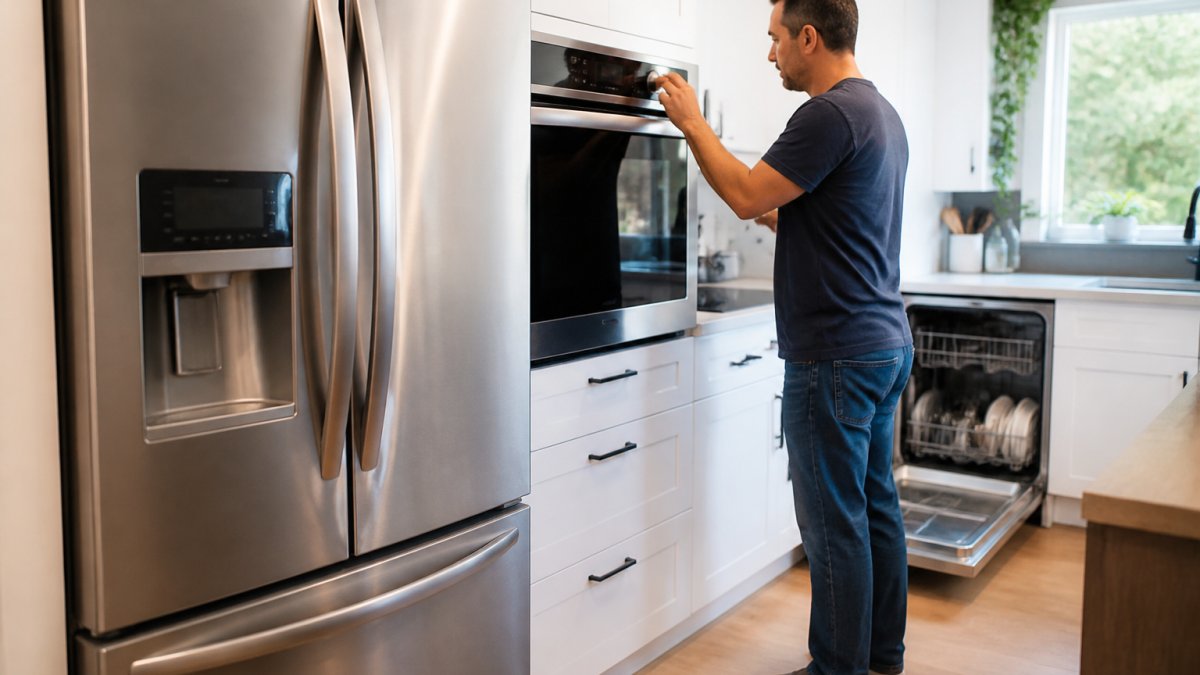
Basic manual controls always work. Physical buttons, knobs, and keypads on smart appliances function regardless of internet status. A smart oven's physical controls operate the oven. A smart washer's physical buttons start cycles. This is true for all appliances.
Local automation continues if your smart home hub supports it. Motion-sensor lighting works. Scheduled temperature adjustments work. Door locks with keypad access work. Anything processed locally by your hub or the device itself continues running.
Preset cycles and stored settings persist. Smart appliances remember your saved configurations. A washing machine remembers your preferred water temperature and spin speed. A refrigerator remembers your temperature settings. These don't need internet to function.
Functions That Stop Working
Remote access stops immediately. You can't control your appliances from your smartphone or computer. You can't check your fridge's contents from the grocery store. You can't start your laundry from work.
Voice commands fail. Alexa, Google Assistant, and other voice control systems depend on cloud servers. Without internet, voice commands don't work. You must use physical controls instead.
Notifications and monitoring cease. Smart appliances can't send alerts about cycle completion, temperature changes, or maintenance needs. You won't know your laundry is done unless you walk to the washer.
App-based scheduling stops. Many smart appliances let you schedule future cycles through their app. These schedules require cloud connectivity to function. Without internet, app-based scheduling doesn't work.
Firmware updates pause. Smart appliances need internet to download and install updates. Your device continues running on its current software until internet returns.
Internet Outage vs. Router, Wi-Fi, and Power Failures
These four failure modes have different impacts on smart appliances and require different troubleshooting approaches. Understanding the distinction helps you diagnose problems correctly and know which devices will remain functional.
Internet Outage (Router Works, Cloud Unreachable)
Your router broadcasts Wi-Fi and your local network functions normally, but your connection to the outside world is severed. This is the most common scenario during an ISP outage.
What works:
- Local-control devices continue operating normally
- Smart home hubs process automations and routines locally
- Devices on your local network can communicate with each other
- Physical controls on all appliances function
- Preset cycles and stored settings execute
What stops:
- Remote app access from outside your home
- Voice commands through cloud-based assistants (Alexa, Google Assistant)
- Notifications and alerts
- Firmware updates
- Cloud-based automations and integrations
Household access during internet outage: Any device connected to your local Wi-Fi network can control local-enabled smart appliances. Your phone, tablet, or laptop must be on the same Wi-Fi network as the smart home hub. Guests on your Wi-Fi can typically control devices if they have the hub's local app or access credentials. Remote access from outside your home is impossible.
Router Failure (Local Network Down)
Your router is offline or malfunctioning. Your local network doesn't broadcast. Devices cannot communicate with each other or with the hub.
What works:
- Physical controls on all appliances
- Devices with completely independent operation (some older smart bulbs with built-in schedules)
What stops:
- All local-control devices that depend on hub communication
- Smart home automations and routines
- Device-to-device communication
- Local app control
- Internet-based features (already unavailable)
Troubleshooting: Restart your router by unplugging it for 30 seconds, then plugging it back in. Wait 2-3 minutes for it to fully boot. Check that your Wi-Fi network name appears on nearby devices. If the router still won't broadcast, you may need to factory reset it or contact your internet service provider.
Wi-Fi Failure (Wireless Disconnection)
Your router works and your wired network functions, but Wi-Fi is not broadcasting or wireless devices cannot connect.
What works:
- Wired smart devices connected via ethernet
- Physical controls on all appliances
- Wired smart home hubs
What stops:
- Wireless smart appliances and sensors
- Wireless smart home hubs
- Any device that relies on Wi-Fi to reach the hub
Troubleshooting: Check that Wi-Fi is enabled on your router (look for a Wi-Fi button or setting in the router's admin panel). Restart the router. Move closer to the router to rule out range issues. If your smart appliances have ethernet ports, connect them directly to your router with an ethernet cable as a temporary workaround. Restart the affected wireless devices.
Power Failure (Complete Outage)
Electricity is cut to your home or specific circuits. All smart appliances and network equipment shut down.
What works:
- Nothing, until power returns
What stops:
- Everything
What happens when power returns:
- Devices reboot in sequence
- Most modern smart appliances preserve settings and configurations during power loss
- Smart home hubs may take 1-5 minutes to fully reconnect all devices
- Some older devices may lose Wi-Fi credentials or require manual reconnection
- Automations and routines resume once the hub is back online
Troubleshooting: Wait for power to stabilize. Restart your router first, then restart smart home hubs, then restart individual appliances. Check that devices reconnect to Wi-Fi (look for Wi-Fi indicator lights). If a device doesn't reconnect, restart it again or manually re-add it to your network through the manufacturer's app.
Quick Reference Matrix
| Failure Type | Local Devices | Hub Automations | Remote App Access | Voice Commands | Notifications |
|---|---|---|---|---|---|
| Internet outage | ✓ Works | ✓ Works | ✗ Fails | ✗ Fails | ✗ Fails |
| Router failure | ✗ Fails | ✗ Fails | ✗ Fails | ✗ Fails | ✗ Fails |
| Wi-Fi failure | ✗ Fails (wireless only) | ✗ Fails (if hub is wireless) | ✗ Fails | ✗ Fails | ✗ Fails |
| Power failure | ✗ Fails | ✗ Fails | ✗ Fails | ✗ Fails | ✗ Fails |
Practical Outage Test and Troubleshooting Checklist
Before relying on offline functionality, test your setup during a controlled scenario:
- Disconnect internet only: Unplug your modem (not your router). Leave your router powered on. Verify that your local Wi-Fi network still broadcasts.
- Test local control: Use physical buttons on your smart appliances. Verify they respond. Check that your smart home hub still processes automations (e.g., motion-sensor lights trigger).
- Test app access: Open your smart appliance app on your phone while connected to your local Wi-Fi. Verify whether local app control works without internet. (Some apps require internet even for local control.)
- Test voice commands: Try a voice command through Alexa or Google Assistant. Confirm it fails, as expected.
- Restore internet: Plug your modem back in and wait 2-3 minutes for connectivity to return. Verify that remote features resume working.
- Document results: Note which devices and features worked offline. This tells you which devices are truly local-controlled versus cloud-dependent.
How to Verify Offline Capability Before You Buy
Check the product manual for offline operation language. Manufacturers that support local control explicitly state this. Look for phrases like "works without internet," "local control," "offline operation," or "local processing." If the manual doesn't mention offline functionality, the device is cloud-dependent.
Ask the retailer directly. When shopping at The Appliance Wizard or any appliance store, ask the salesperson: "Does this model work if my internet goes down?" A knowledgeable answer tells you whether the device supports local control.
Research the communication protocol. Devices using Zigbee, Z-Wave, Thread, or Matter support local control. Devices using Wi-Fi direct to cloud servers typically don't. Check the product specs for protocol information.
Test before committing. If possible, take the appliance home, set it up, disconnect your Wi-Fi, and verify that essential functions still work. This is the definitive test.
Consider your tolerance for cloud dependency. If you're comfortable losing remote features during an outage, cloud-dependent devices are fine. If you need core functionality to continue regardless of internet status, choose local-control devices.
Security and Privacy Trade-Offs With Local Control
Local control improves privacy. Data stays on your local network instead of traveling to manufacturer servers. Your usage patterns, preferences, and household activities remain private. No cloud company collects information about when you use your appliances.
However, local control can reduce security. Cloud-dependent devices receive regular firmware updates through the internet. Local-control devices may not update as frequently.
The trade-off is real. Cloud systems collect data but receive regular security patches. Local systems keep data private but may lag on security updates.
NIST guidelines on IoT device security recommend evaluating both cloud and local architectures for your specific risk tolerance. Privacy and security require different approaches.
Consider your situation. If privacy is paramount, choose local-control devices and commit to manual firmware updates. If security patches are critical, accept cloud connectivity and implement strong network security.
Smart appliances offer convenience, but that convenience depends on reliable internet connectivity. Understanding which functions work offline helps you choose appliances that match your actual needs. When you're ready to invest in smart kitchen or laundry equipment, The Appliance Wizard team can walk you through the offline behavior of specific models and help you find appliances that work for your household. Visit us in Marion or Carbondale, or call our showroom to discuss which smart appliances are right for your home. We'll make sure you understand exactly what you're getting, and what you'll lose if your internet goes down.
Frequently Asked Questions
Can smart appliances work without an internet connection?
Yes, many smart appliances can work without internet, but functionality depends on the device type and how it was designed. Appliances with local control capabilities, like smart thermostats, lights, and some refrigerators, can operate basic functions offline using local networks or manual controls. However, remote access, app notifications, and cloud-based features stop working during an outage. The key is understanding which functions are cloud-dependent and which operate locally before you buy.
Which smart appliance features work without Wi-Fi?
Basic operations typically continue: a smart refrigerator still keeps food cold, a smart oven still heats, and smart lights still turn on and off using physical switches or local control. Schedules and automations programmed into the device's local memory may still run. However, features requiring cloud services stop working, remote temperature monitoring, app notifications, voice assistant commands, firmware updates, and data syncing all depend on internet connectivity. Check your appliance's manual or contact The Appliance Wizard for specifics on your model.
What's the difference between a router failure and an internet outage?
An internet outage means your ISP connection is down, but your local network and router may still function. A router failure means no local network exists at all. Smart devices using local control protocols like Zigbee or Z-Wave can still communicate with each other and a local hub even if the router fails or internet drops, as long as power remains. However, if your router fails completely, Wi-Fi devices lose connectivity to each other and to any local hub. Knowing this distinction helps you plan for resilience, some homeowners add a backup router or local hub to maintain control during failures.
How can I tell if a smart appliance will work offline before I buy it?
Ask the retailer or manufacturer directly: Does this model support local control? Does it require cloud connectivity for basic functions? Does it use local protocols like Zigbee, Z-Wave, or Thread? Request the product manual and test the device in your home if possible. At The Appliance Wizard, our expert staff can walk you through offline capabilities and help you choose appliances that match your reliability needs. We also offer professional setup to ensure local control is configured correctly before you need it.