 how-to
How to Troubleshoot a Washing Machine Not Starting
Table of Contents
- Before You Start: Safety and What You'll Need
- Step 1: Check the Power Supply and Outlet
- Step 2: Check the Circuit Breaker and Fuse
- Step 3: How to Reset a Washing Machine Control Board
- Step 4: Inspect the Lid Switch or Door Latch
- Step 5: Washing Machine Lid Switch Replacement
- Step 6: Check the Water Inlet Valve and Drain Pump
- Step 7: Digital Issues: Error Codes, Child Lock, and Smart Connectivity
- When to Call a Professional Appliance Repair Technician
- Conclusion: Getting Your Washer Running Again
- Frequently Asked Questions
Last Updated: October 4, 2026
Before You Start: Safety and What You'll Need
A washing machine not starting is usually a power, lid, or control board problem, and most of these you can check yourself in under an hour. This guide from The Appliance Wizard walks through each step in order, from the outlet to the control board.
Before you touch anything, unplug the washer. Water and electricity do not mix.
Here is what you'll need:
- A multimeter for continuity tests
- A flathead and Phillips screwdriver
- Your washer's model number and manual
- A flashlight
- A towel for small spills
Work through the steps in order. Skipping ahead wastes time.
Step 1: Check the Power Supply and Outlet
A dead outlet is the most common reason a washing machine not starting happens. Start here before you suspect anything else.
Check these in order:
- Confirm the power cord is pushed fully into the outlet.
- Look for a tripped GFCI outlet. Press reset if it popped.
- Plug a small lamp or phone charger into the same outlet.
- If the lamp works, the outlet is fine. If not, the outlet is the problem.
A loose power cord or a dead outlet explains a surprising number of service calls. Test the outlet before you pull the washer out.
If the outlet works, move to the next step.
Step 2: Check the Circuit Breaker and Fuse
Washers draw a lot of power, so a weak breaker can trip under load. Check the breaker before you assume the machine is broken.
Open your home's breaker panel. Find the breaker labeled for the laundry area. Look for a breaker that sits between ON and OFF, or one that has flipped fully to OFF.
- Flip the breaker fully to OFF, then back to ON.
- If it trips again right away, stop and call an electrician.
- If the washer has an inline fuse, check it with your multimeter for continuity.
A blown fuse or tripped breaker points to an electrical fault, not a broken washer. That is a different repair.
Step 3: How to Reset a Washing Machine Control Board
Learning how to reset a washing machine control board is often the fastest fix for a machine that seems totally dead. A reset clears a locked-up electronic control and lets the board restart clean.
Try these in order:
- Unplug the washer for 60 seconds, then plug it back in.
- Press and hold the Start or Power button for 5 to 10 seconds.
- On some models, hold Start and Cancel together for 3 seconds.
- If nothing happens, the control board may need replacement.
A power outage or a voltage spike can freeze the board. A simple reset clears most of these.
If the reset does not work, the board itself may be faulty. That is a job for a technician.
Step 4: Inspect the Lid Switch or Door Latch
A washing machine not starting often comes down to a lid switch or door latch that is not closing the circuit. The washer will not run a cycle if it thinks the lid is open.
On a top-loader, the lid switch sits under the top panel near the hinge. On a front-loader, the door latch locks the door and signals the board.
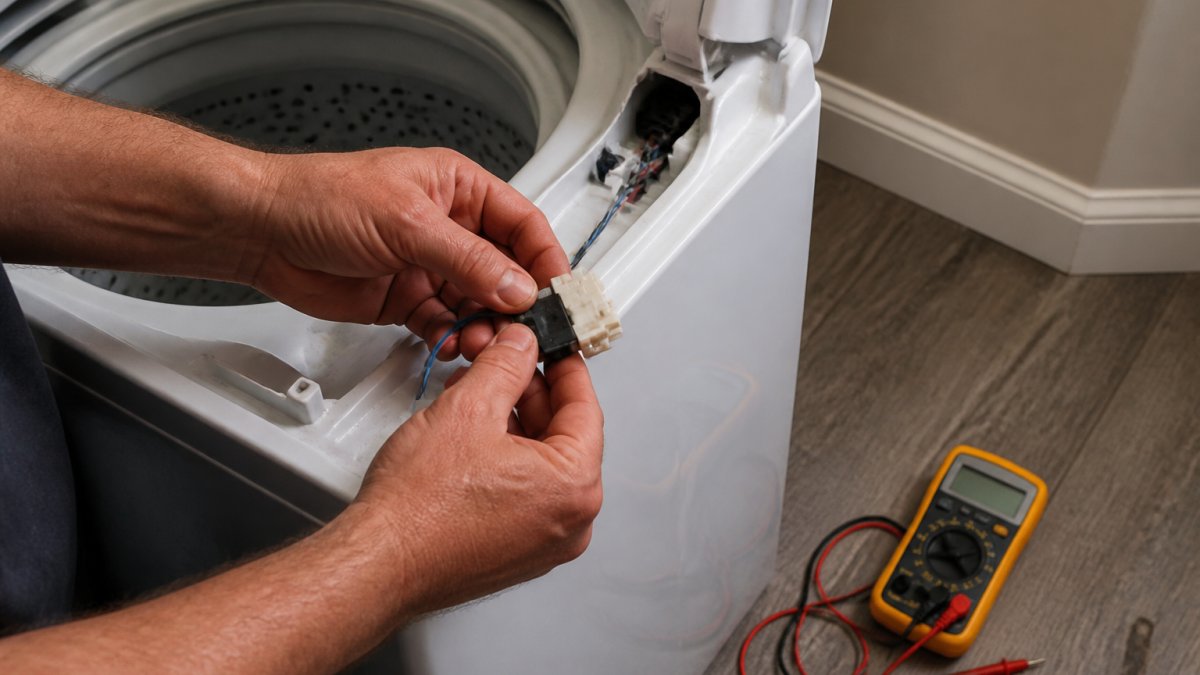
Test it like this:
- Unplug the washer first.
- Remove the top panel or the door lock screws.
- Set your multimeter to continuity.
- Touch the probes to the switch terminals.
- Press the switch. A good switch shows continuity.
No continuity means the switch is faulty. That leads straight into the next step.
Step 5: Washing Machine Lid Switch Replacement
Washing machine lid switch replacement is a common DIY repair, and it is often cheaper than a service call. The part is small and usually easy to reach.
Here is how to do it:
- Unplug the washer and turn off the water.
- Remove the screws holding the top panel.
- Lift the panel and locate the switch.
- Unplug the wiring harness from the old switch.
- Match the new switch to the old one and connect the harness.
- Reattach the panel and test the lid.
Order the exact part for your model. A generic switch may not fit or may fail early.
If you are not comfortable with the wiring, stop here. A pro can handle it in one visit.
Step 6: Check the Water Inlet Valve and Drain Pump
A washer that fills but never starts the cycle, or that starts and stalls before the spin, usually has a water inlet valve, drain pump, or pressure sensor problem. These parts tell the control board the cycle is ready to advance, and if any of them fails to report back, the board simply will not start the next phase.
Confirm the supply valves and screens first
Start behind the washer. Make sure both the hot and cold supply valves are turned fully counterclockwise (open). A valve that is only partway open can pass enough water to trickle in but not enough to satisfy the fill timer, which stalls the cycle.
Next, shut off both valves, disconnect the hoses, and check the inlet screens at the back of the washer where the hoses connect. These small mesh screens trap sediment from the water supply and are a common cause of slow or failed fills. Pull each screen with needle-nose pliers, rinse it under running water, and reinstall it. If a screen is torn or crushed, replace it.
While the hoses are off, look for kinks, cracks, or a swollen hose that has collapsed internally. A collapsed hose restricts flow the same way a clogged screen does.
Test the water inlet valve
The inlet valve is the solenoid assembly the hoses connect to. When the board calls for water, it sends voltage to the valve, which opens and lets water through.
With the washer unplugged, set your multimeter to resistance (ohms) and touch the probes to the valve's solenoid terminals. A healthy solenoid reads a few hundred to roughly a thousand ohms, depending on the model. A reading of zero (short) or infinite (open) means the solenoid is bad and the valve needs replacement. You can also check for voltage at the valve connector during a fill cycle, but only if you are comfortable working with the washer powered, otherwise leave that test to a technician.
If the washer hums but does not fill, the inlet valve is the likely culprit. If it fills normally but will not advance, move to the drain side.
Clean the drain pump filter and check the pump
Many front-loaders and some top-loaders have an accessible drain pump filter behind a small door at the bottom front of the machine. Put a towel and a shallow pan underneath before you open it, it will release standing water.
- Unplug the washer.
- Open the filter door and slowly unscrew the filter cap.
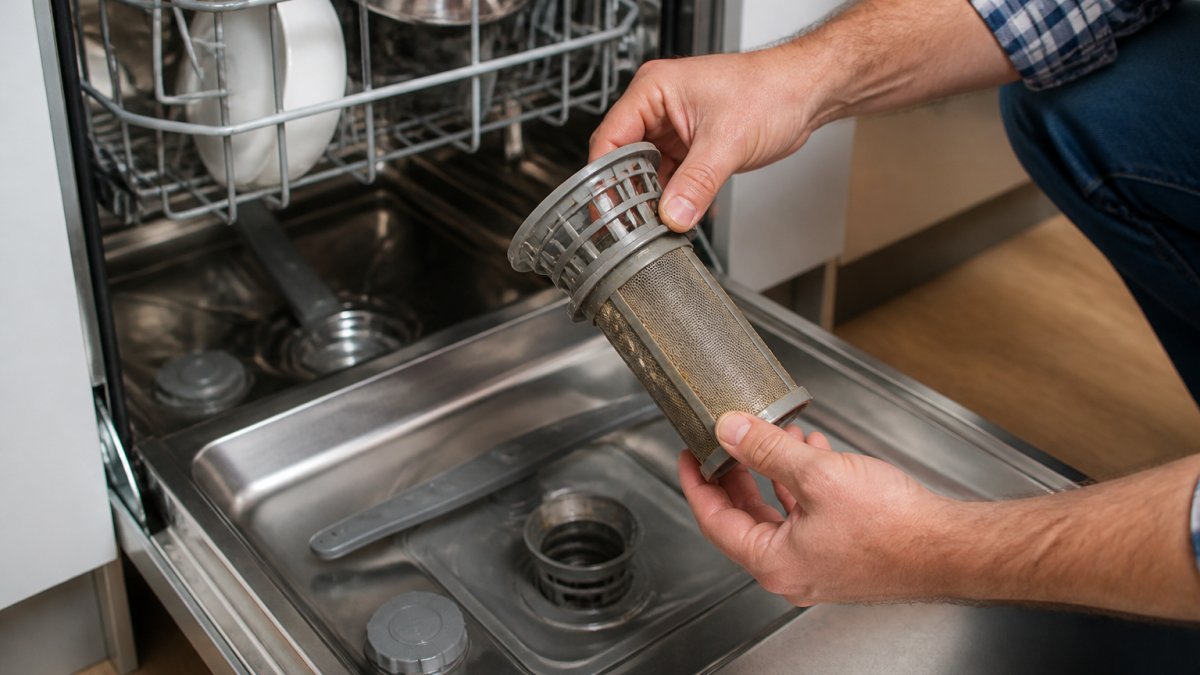
- Pull out the filter and remove lint, coins, hairpins, and other debris.
- Rinse the filter, check the impeller behind it for obstructions, and reinstall.
A clogged filter or a jammed impeller stops the drain, and the board will not start the spin phase until it confirms the tub is empty. If the filter is clear and the pump still does not run, the pump itself may have failed. You can test the pump motor for continuity the same way you tested the inlet valve solenoids.
Check the pressure sensor hose
The pressure sensor (also called the water level switch) tells the board how much water is in the tub. It connects to the tub by a thin air hose. If that hose is kinked, disconnected, or blocked, the board gets a false reading and refuses to start the cycle.
Trace the hose from the sensor to the tub. Look for kinks, cracks, or a loose connection at either end. Disconnect it and blow through it gently to confirm it is clear, then reconnect it firmly. A blocked or disconnected pressure hose is an easy fix that mimics a much more expensive failure.
How this connects to the error codes
If the display is showing a drain or water-supply code, this section is where you resolve it. A drain-family code points to the filter, pump, or pressure hose. A supply-family code points to the valves, screens, or hoses. Fix the mechanical cause first, then clear the code with a reset from Step 3. If the code returns after a clean filter and clear hoses, the sensor or pump has failed and needs replacement.
Step 7: Digital Issues: Error Codes, Child Lock, and Smart Connectivity
Modern washers add digital problems on top of mechanical ones. A washing machine not starting may be showing an error code, a locked child lock, or a lost WiFi connection. This is the section most legacy troubleshooting guides skip, and it is where a large share of "dead" machines actually live.
Read the error code before you touch anything
The display is the fastest diagnostic tool on the machine. Before you pull the washer out, write down the exact code and check your manual's code table. Codes fall into recognizable families across most major brands:
- Door or lid faults (commonly shown as dL, dO, or F5-family codes): the board thinks the door is open. This overlaps directly with Step 4, recheck the latch before replacing anything.
- Drain or pump faults (often nd, dE, or F9-family): the washer will not advance to the spin or start phase because it cannot confirm the tub drained. Check the drain pump filter and the pressure sensor hose from Step 6.
- Water supply faults (often nF, F8, or IE-family): the fill did not complete in the expected time. Confirm both supply valves are open and the inlet screens are clear.
- Communication or control faults (often F1, F2, or a UI/board code): the user interface and the main control board are not talking. A reset (Step 3) is the first move; a persistent code here usually means a board or harness replacement.
Code letters and numbers vary by brand and model year, so always decode against your specific manual rather than a generic online chart. The family tells you which system to inspect; the manual tells you the exact part.
Child lock: the two-second check that saves a service call
Child lock is the single most common false alarm on modern washers. When it is engaged, the control panel ignores the Start button and the machine looks completely dead.
Look for a lock icon, a padlock symbol, or the word "LOCK" on the display. To clear it, press and hold the button marked with the lock icon, usually labeled "Child Lock," "Control Lock," or paired with the Spin or Rinse button, for 3 to 5 seconds until the icon disappears or you hear a beep. On some models the sequence is two buttons held together. If the icon will not clear, unplug the washer for 60 seconds and try again.
Smart washer connectivity and app-sync failures
On WiFi-connected washers, a dropped network connection can block remote start and, on some models, block the cycle from starting at the panel until the app handshake completes.
Work through these in order:
- Open the manufacturer's app and confirm the washer still shows as connected. A grayed-out or "offline" tile means the machine dropped off the network.
- Confirm the washer is on the 2.4 GHz band. Most washers do not support 5 GHz networks, and a router that recently switched bands will silently disconnect the machine.
- Power-cycle the washer at the breaker for 60 seconds, then reopen the app and let it rediscover the machine.
- If the app offers a re-pair or re-onboard flow, run it. You will need the network password and, on some brands, the washer's pairing mode (often a long-press on a specific button combination listed in the manual).
- Check for a pending firmware update in the app. A stalled update can leave the control board in a state where the panel is unresponsive until the update completes or is retried.
If the washer starts fine from the panel but not from the app, the problem is the network or the app, not the machine. If it will not start from either, treat it as a panel or board fault and continue to the diagnostic step below.
How do I run a diagnostic mode on my washer?
Most washers have a hidden diagnostic or service mode that runs a self-test and reports which component failed. The exact entry sequence varies by brand and model, so check your manual's service section first. Common patterns include holding a specific button combination while powering on, or pressing a sequence of panel buttons within a few seconds of startup. Once in diagnostic mode, the machine will cycle valves, the pump, and the motor and display a pass or fail for each. That result tells you which part to buy before you spend money on a guess.
When to Call a Professional Appliance Repair Technician
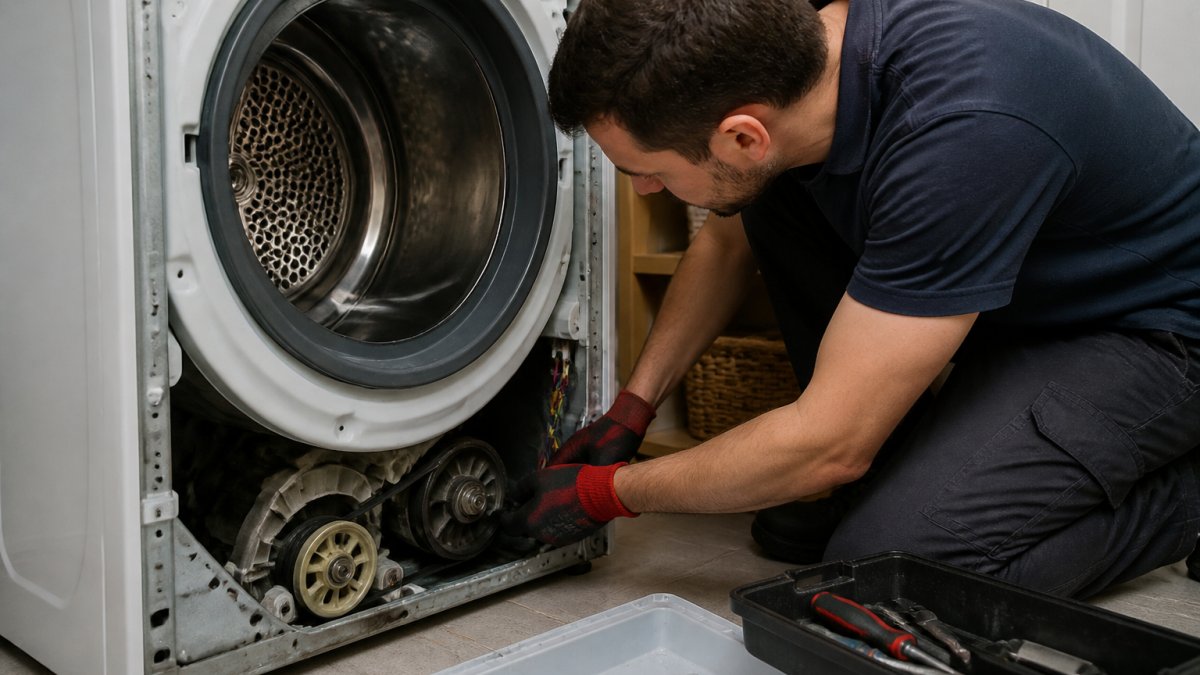
Call a professional appliance repair technician when the problem is inside the control board, motor, or wiring harness. These repairs need training and the right tools.
Call us when you see:
- A burnt smell or visible wire damage
- A breaker that trips every time
- A control board that will not respond after a reset
- A motor that hums but will not turn
- Water leaking near electrical parts
At The Appliance Wizard, our factory-trained technicians handle in-home repair across most major makes and models. We also stock genuine replacement parts for DIYers who want to finish the job themselves.
If you are unsure, call us. A quick phone check has saved plenty of customers from buying a new machine they did not need.
Conclusion: Getting Your Washer Running Again
Most washers that will not start come down to power, a lid switch, or a control board reset. Work through the steps in order and you will find the cause in most cases. For anything inside the control board or motor, our team at The Appliance Wizard can help. We offer in-home repair, genuine replacement parts, and honest advice with no hidden loopholes. Get started with The Appliance Wizard and get your laundry back on schedule.
Frequently Asked Questions
How do I force restart a washing machine that won't turn on?
Unplug the washer from the wall outlet and wait at least one full minute. This lets the electronic control board discharge and clear any locked-up state. Plug it back in, then press and hold the Start or Power button for three to five seconds. If the display lights up and the cycle selection responds, the restart worked. If nothing happens, the problem is likely power delivery or a faulty component, not a software lockup.
Why does my washer have power but won't begin the cycle?
Power at the display but no cycle start usually points to the lid switch, door latch, or control board. On top-loaders, a broken lid switch stops the machine from spinning or filling even though the panel looks fine. On front-loaders, a door latch that does not register as closed blocks the start command. Test the lid switch with a multimeter for continuity, and check that the door latches fully with an audible click.
How can I tell if my washing machine lid switch is broken?
Open the lid and listen for a click when you press the switch plunger down. No click often means the switch has failed. You can confirm with a multimeter set to continuity: disconnect power, remove the switch, and test the terminals while pressing the actuator. No reading means the switch is bad. A broken lid switch is one of the most common reasons a washer fills but will not spin or start a full cycle.
Is it worth repairing a washing machine that won't turn on?
It depends on the age and the failed part. A lid switch, fuse, or reset fix is inexpensive and worth doing on a machine under eight years old. A failed control board or motor on a washer past ten years often costs enough that replacement makes more sense. A certified technician can run a diagnostic mode check and give you a straight answer on repair versus replace before you spend money.