 blog
blog
Is Smart Home Automation Worth It in 2026?
Table of Contents
- What Smart Home Automation Actually Is
- Smart Home Automation Pros and Cons: The Real Trade-Offs
- Smart Home Automation Cost: Breaking Down the Investment
- Smart Home Energy Savings: What the Numbers Show
- Security, Monitoring, and Peace of Mind
- Privacy, Cybersecurity, and Data Ownership
- Best Smart Home Devices for Beginners
- Reliability and What Happens When the Internet Goes Down
- Is Smart Home Automation Worth It for Your Situation?
- Frequently Asked Questions
Last Updated: October 19, 2026
What Smart Home Automation Actually Is
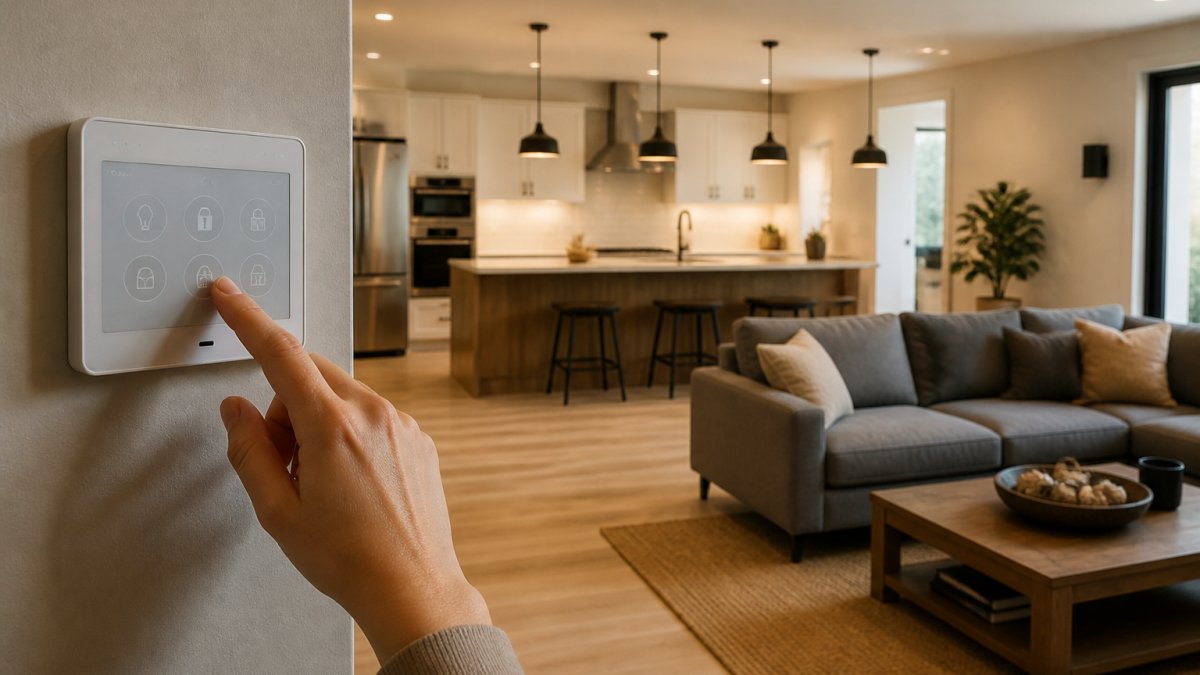
Smart home automation is the use of connected devices and systems you can control remotely or set to run on schedules through your home's internet connection. A smart thermostat learns your temperature preferences, smart lights respond to time or motion, and smart locks let you unlock your door from your phone.
The core idea is simple: automate routine tasks and control your home from anywhere. But "worth it" depends entirely on your situation. Some households benefit dramatically. Others spend money on features they rarely use.
This guide breaks down the real trade-offs so you can decide if smart home automation worth it for your needs.
Smart Home Automation Pros and Cons: The Real Trade-Offs
The Genuine Advantages
Convenience is the most obvious benefit. Control devices from your phone or voice commands instead of walking to a switch. Set schedules so lights, thermostats, and appliances adjust automatically. Many homeowners find this saves mental energy more than anything else.
Energy efficiency is real, but savings depend on your setup. A smart thermostat can cut heating and cooling costs by adjusting temperatures based on occupancy and time of day, and smart lighting turns off lights in empty rooms. Actual savings vary widely by climate, habits, and how much you adjust settings.
Security and monitoring give genuine peace of mind. Smart cameras let you check on your home while away. Smart locks provide keyless entry and activity logs. You receive alerts if doors open unexpectedly or motion is detected. These features are particularly valuable if you travel frequently or manage rental properties.
Time savings add up for specific tasks. Automated routines handle multiple actions at once. A "leaving home" routine locks doors, arms security, and adjusts the thermostat. A "good morning" routine turns on lights and starts coffee. These save minutes daily, which compounds over time.
The Real Drawbacks
Upfront costs are substantial. Quality smart devices range from modest to expensive, and professional installation can add hundreds more. The total investment for a meaningful setup often exceeds what homeowners initially budget.
Compatibility issues frustrate many users. Not all devices work together seamlessly. You may need multiple apps to control different brands. Some devices require a hub. Others need specific internet speeds. This fragmentation creates friction that reduces actual usage over time.
Reliability problems happen more often than marketing suggests. Internet outages block remote control, some devices lose connection or need frequent reboots, and automations occasionally fail silently. You may go days without noticing a broken routine.
Privacy and security concerns are legitimate. Connected devices collect data about your habits. Manufacturers store this data on servers. Hackers can potentially access your systems. You are trading convenience for reduced privacy. Not everyone is comfortable with that exchange.
Learning curve is real for non-technical people. Setup requires WiFi configuration, app downloads, and account creation. Automations need logical thinking to set up correctly. Some people find this straightforward. Others struggle and eventually abandon the system.
Smart Home Automation Cost: Breaking Down the Investment
Most articles quote a single headline number for a smart home and move on. That number is almost meaningless: the real question is what the system costs to own over five years. Total cost of ownership has four parts: hardware, installation, recurring subscriptions, and replacement. Miss any one and the break-even math looks better than it is.
Hardware: What the Devices Actually Cost
A realistic mid-range setup for a 2,000-square-foot house typically includes:
- Smart thermostat: $130-$280
- Smart speaker or display: $50-$230
- Smart bulbs or smart switches: $15-$50 per fixture, and a whole-house lighting retrofit often runs $300-$800
- Smart locks: $100-$300 per door
- Video doorbell: $100-$250
- Indoor or outdoor cameras: $40-$200 each
- Hub or bridge if you mix brands: $70-$150
- Sensors (motion, door/window, leak): $15-$40 each
Add those up for a typical four-room lighting plan, two locks, a doorbell, three cameras, a thermostat, a speaker, a hub, and a handful of sensors, and hardware alone commonly lands between $1,200 and $2,500. A whole-home build with smart appliances, motorized shades, and multi-zone climate control can pass $5,000 in hardware before anyone touches a wall.
Installation: The Line Most Buyers Underestimate
DIY installation costs nothing but time, and the time is real: a thermostat or smart lock is a 30-60 minute job for a confident homeowner, while a lighting retrofit with smart switches can take a weekend. Professional installation runs $75-$150 per device in many markets, and full-house integration can run $1,000-$3,000 or more. If you pay a pro, budget installation at 20-40% of hardware cost.
Subscriptions: The Cost That Never Stops
This is where five-year math separates from day-one math. Many cameras and doorbells are nearly useless without a cloud recording plan, commonly $3-$15 per month per device or $10-$20 per month for a multi-camera plan. Professional monitoring adds roughly $10-$30 per month, and some hubs charge for advanced automation features. A modest $15 per month is $900 over five years, which can exceed the cost of the hardware itself.
Replacement and Maintenance
Smart devices are not buy-once-forever products. Batteries in sensors and locks need replacing every year or two. Cameras and hubs have realistic service lives of five to seven years before apps stop being updated or the hardware fails. Budget roughly 10-15% of your hardware cost per year for replacement and small repairs, or about $150-$375 per year on a $1,500-$2,500 system.
A Worked Break-Even Example
Take a $1,800 hardware setup, $300 of DIY-friendly professional help on the thermostat and locks, $15 per month in subscriptions, and $200 per year in replacement and batteries. Five-year cost of ownership is roughly $1,800 + $300 + $900 + $1,000 = $4,000, or about $800 per year.
Now compare that to realistic savings. A smart thermostat in a home with irregular schedules might cut heating and cooling costs by 8-12% according to commonly cited utility-program estimates; on a $1,800 annual HVAC bill that is $145-$215 per year. Smart lighting and standby-load trimming might add $30-$80 per year. That is $175-$295 per year in plausible savings against $800 per year in ownership cost. The honest conclusion: energy savings alone rarely pay back a full smart home. The payback case rests on convenience, security, and remote management, with energy savings as a partial offset.
How to Keep Costs Down
- Buy one ecosystem deliberately instead of mixing brands that need separate hubs.
- Choose devices with local control so you are not forced into a subscription.
- Install thermostats, bulbs, and plugs yourself and pay a pro only for locks, wiring, and network setup.
- Buy last-generation models of cameras and hubs when the app support window is still long.
- Skip smart appliances unless the appliance itself is due for replacement; retrofitting a working appliance rarely pays back.
The Appliance Wizard helps customers make informed decisions before they buy, so the decision is based on total ownership rather than the sticker price of a starter kit.
Smart Home Energy Savings: What the Numbers Show
Most smart home marketing implies that automation pays for itself through lower utility bills. The evidence is more mixed, and the useful skill for a buyer is knowing how to read a savings claim. This section separates plausible savings from marketing math using assumptions you can check against your own bills.
The Three Sources of Real Savings
Almost all legitimate smart-home energy savings come from three mechanisms:
- Reducing runtime. A smart thermostat or schedule turns equipment off when the house is empty or when nobody is awake. Savings scale with how much time your current setup wastes.
- Shifting load. Running dishwashers, dryers, and EV chargers during off-peak hours or demand-response events lowers cost per kilowatt-hour even when total consumption is unchanged.
- Eliminating standby and forgotten loads. Smart plugs and lighting schedules cut the energy used by devices left on unnecessarily.
If a product claim does not map to one of these three mechanisms, treat it as marketing until proven otherwise.
Reading a Savings Claim Like an Analyst
A credible savings claim states four things: the baseline, the climate or usage assumption, the measurement method, and the time period. A claim like "saves up to 23% on heating and cooling" usually means the best-performing users in a favorable climate, not the average household. When you see "up to," assume you will land well below it.
A practical way to estimate your own savings is to pull twelve months of utility bills and separate heating/cooling from everything else. HVAC is typically the largest single line item in a home's energy use, which is why thermostat savings dominate. Lighting and plug loads are smaller, so even a perfect lighting schedule produces a smaller dollar figure.
A Transparent Example
Assume a household spends $1,800 per year on heating and cooling and $600 on lighting and plug loads. A smart thermostat that trims HVAC runtime by 8-12% saves $145-$215 per year. Smart lighting and plug schedules that cut waste by 10-15% save $60-$90 per year. Total plausible savings: roughly $205-$305 per year, or about $17-$25 per month.
That is meaningful, but it is not the $500-per-year figure some marketing implies. And it depends on behavior: a household that already sets back the thermostat manually and turns off lights will see far less, because there is less waste to remove.
Where Savings Are Overstated
- Smart appliances. A connected refrigerator or oven rarely saves energy on its own; the savings come from scheduling and load shifting, which require active management or utility programs.
- Always-on devices. Cameras, hubs, and speakers draw standby power 24/7. A large camera system can add $30-$80 per year in electricity, partially offsetting other savings.
- Rebound effects. When a device makes comfort cheaper, some households use more of it, eroding the savings.
- Climate mismatch. Savings estimates built for mild climates overstate results in extreme heat or cold, where equipment runs near continuously regardless of schedule.
How to Verify Savings in Your Own Home
Compare the same month year over year, not month over month, and normalize for weather using heating and cooling degree days from your utility or a public weather dataset. Give a new schedule four to six weeks before judging it. If your utility offers a home energy report or a connected thermostat program, enroll; those provide measured comparisons more reliable than manufacturer claims.
The honest summary: smart home automation can produce real but modest energy savings, concentrated in heating and cooling and load shifting. Use those savings as a partial offset to ownership cost, and verify them against your own bills rather than relying on the "up to" numbers on the box.
Security, Monitoring, and Peace of Mind
Smart security systems provide genuine value for specific situations. Video cameras let you monitor your home from anywhere. Smart locks create audit trails of who entered when. Motion sensors detect unexpected activity. These features matter most for people who travel, manage rental properties, or live in areas with higher crime.
The peace of mind benefit is real even if nothing ever happens. Knowing you can check your home at any time reduces anxiety. Receiving alerts about unusual activity helps you respond quickly. For some people, this alone justifies the investment.
But smart security is not a complete replacement for traditional security. Cameras only record events. They do not prevent break-ins. Smart locks are convenient but can be defeated. Motion sensors generate false alarms. Treat smart security as a supplement to good locks, lighting, and awareness, not a replacement.
Professional monitoring services add another layer. These services watch your cameras and alerts, then contact authorities if needed. This costs extra monthly but provides faster response. Some homeowners find this worth the expense. Others prefer to handle alerts themselves.
Privacy, Cybersecurity, and Data Ownership
This is where smart home automation gets uncomfortable. Connected devices collect data about your habits. Manufacturers see patterns about your schedule, preferences, and behavior. This data is valuable: companies use it to improve products, target advertising, and sell to third parties.
You do not own this data. The manufacturer does. Read the privacy policy for any device you buy. Most allow data collection and sharing with business partners. Some sell anonymized data. Others keep data more private but still collect it.
Cybersecurity risks are real but manageable. Hackers occasionally breach smart home systems. Use strong, unique passwords, keep devices updated, and use a separate WiFi network for smart devices if your router supports it. These steps reduce risk significantly.
The fundamental trade-off: convenience and automation in exchange for reduced privacy. Some people accept this willingly. Others are uncomfortable. There is no right answer. Decide what matters to you before committing.
The Appliance Wizard can discuss privacy implications when you purchase smart appliances.
Best Smart Home Devices for Beginners
Start simple if you are new to smart home automation. Do not buy a dozen devices at once. Pick one or two categories, get comfortable, then expand.
Smart speakers are the easiest entry point. They provide voice control for other devices. Prices are reasonable. Setup is straightforward. You get immediate value from music, timers, and information access. This is our top recommendation for beginners.
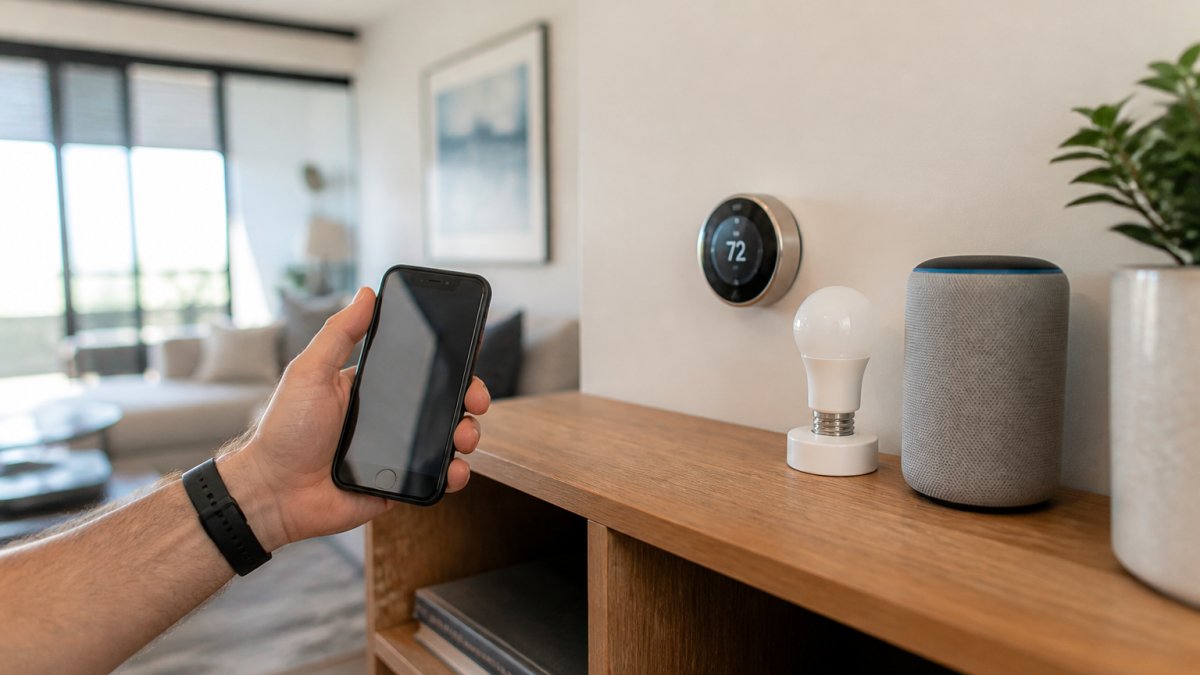
Smart thermostats deliver the most tangible benefit. They learn your schedule and reduce energy waste. Installation requires some technical comfort but is manageable for most people. The energy savings justify the cost over time. This is the second device most beginners should consider.
Smart bulbs are simple and immediate. Screw them in, connect to WiFi, control from your phone. No installation required. They provide convenience and some energy savings. Start with bulbs in rooms you use most frequently.
Smart locks are valuable if you want keyless entry and activity tracking. Installation is straightforward if you are comfortable with basic tools. They eliminate lost keys and provide entry logs. Consider this after getting comfortable with simpler devices.
Avoid buying everything at once. Use one device for a few weeks, learn how it works, and understand the app and automations before adding another. This builds knowledge and prevents frustration from complexity overload.
Reliability and What Happens When the Internet Goes Down
This is the uncomfortable truth about smart home automation: it depends on your internet connection. When WiFi fails, most smart devices stop responding to remote commands. Automations may not run. Cameras stop streaming. Smart locks may not function.
Some devices have local control options. Smart speakers work without internet if they are on the same WiFi network. Some smart locks have manual overrides. But most devices are useless without internet connectivity.
Internet outages are rare in most areas but not impossible. Storms, equipment failures, and maintenance happen. Plan for this reality. Keep manual backups for critical functions. A smart lock should have a physical key. A smart thermostat should allow manual temperature adjustment. Smart lighting should have physical switches.
Device failures also happen. WiFi connectivity drops occasionally. Automations fail silently. Apps crash. Servers go down. These are not catastrophic but they are frustrating. Expect occasional hiccups. Do not rely on smart automation for critical functions where failure creates genuine problems.
Reliability improves with quality devices and proper setup. Use a strong WiFi network. Keep devices updated. Avoid overloading your network with too many devices. These steps reduce problems significantly. But expect occasional issues regardless.
Is Smart Home Automation Worth It for Your Situation?
The answer depends on several factors.
You should invest in smart home automation if:
- You plan to stay in your home for at least 3-5 years
- You value convenience and are willing to pay for it
- You travel frequently and want remote monitoring
- You are comfortable with technology and troubleshooting
- You manage rental properties and need remote access
- You want to reduce energy consumption and are willing to optimize settings
- You accept reduced privacy in exchange for automation
You should skip or delay smart home automation if:
- You move frequently or plan to move within 2 years
- You have limited budget and prefer spending on other home improvements
- You are uncomfortable with technology and troubleshooting
- Privacy concerns outweigh convenience benefits for you
- Your internet connection is unreliable
- You prefer simplicity and do not want to manage multiple apps and devices
- You have older appliances that do not support smart features
Most homeowners fall somewhere in the middle. They would benefit from selective smart home automation. Start with a smart thermostat and speaker. Evaluate the experience. Add more devices if you find genuine value. Do not feel pressured to automate everything.
The Appliance Wizard recommends starting small and expanding based on your actual experience. We help homeowners choose devices that match their specific needs and technical comfort level, discuss which smart appliances make sense for your kitchen or laundry room, and handle professional installation if you prefer expert setup.
Smart home automation is neither a must-have nor a waste of money. It is a tool that works well for some people and situations. The key is understanding the real trade-offs before investing. Start with realistic expectations about costs, savings, and effort required. Choose devices that solve actual problems in your home rather than buying technology for its own sake. If you are ready to explore smart appliances for your kitchen or laundry room, The Appliance Wizard can guide you through the options. We offer expert consultation on which smart devices integrate well, professional installation to ensure proper setup, and ongoing support through our factory-trained technicians. Visit us at www.theappliancewizard.com or stop by our showrooms to see smart appliances in action and discuss which solutions fit your home and budget.
Frequently Asked Questions
Does smart home automation actually save money on energy bills?
Smart thermostats and automated lighting can reduce energy consumption, but savings depend on your current usage patterns and behavior. A smart thermostat that learns your schedule may save 10-15% on heating and cooling costs. However, real savings only materialize if you actively use the automation features, buying devices and ignoring them delivers no financial benefit. Calculate your potential savings based on your utility rates and current consumption before investing.
What are the main disadvantages of smart home automation?
Key drawbacks include upfront costs, compatibility issues between different brands and systems, privacy concerns about data collection, cybersecurity risks, and dependence on internet connectivity. If your internet goes down, many smart devices become unusable. Setup and ongoing maintenance require technical knowledge. Additionally, vendor lock-in means switching systems later can be expensive and complicated. Not all devices integrate seamlessly, forcing you to choose between competing ecosystems.
What smart home devices should a beginner start with?
Start with a smart thermostat or smart lighting, as these offer immediate convenience and measurable energy savings with minimal setup complexity. A smart speaker serves as a central hub for voice control. Smart door locks and security cameras provide security benefits. Avoid buying too many devices at once, focus on one or two that solve a specific problem in your home, then expand gradually. This approach lets you learn the technology without overwhelming yourself or overcommitting financially.
Is smart home automation worth it if I'm renting or moving soon?
Renters face a different calculation than homeowners. Portable devices like smart speakers, smart plugs, and smart lighting bulbs move with you, making them worthwhile. Permanent installations like smart thermostats or wired security systems may not justify the cost if you're moving within a few years. Check your lease for restrictions on smart device installation. For temporary residents, focus on affordable, mobile devices that solve immediate problems rather than expensive integrated systems designed for long-term ownership.