 comparison
Pros and Cons of Smart Kitchen Appliances: 2026 Guide
Table of Contents
- The Smart Kitchen Trade-Off: What You Gain and What You Give Up
- Smart Kitchen Appliances at a Glance: Quick Comparison Table
- The Pros: Convenience, Precision, and Energy Efficiency of Smart Appliances
- The Cons: Cost of Smart Kitchen Upgrades and Hidden Expenses
- Smart Appliance Reliability: What Breaks and What Lasts
- Connectivity, Wi-Fi Requirements, and Technical Troubleshooting
- Data Privacy and Cybersecurity Risks in Connected Kitchens
- Software Obsolescence vs. Hardware Longevity: The Long-Term View
- Repairability, E-Waste, and the Right to Repair
- Who Should Buy Smart Kitchen Appliances (and Who Should Skip Them)
- Frequently Asked Questions
Last Updated: September 22, 2026
The Smart Kitchen Trade-Off: What You Gain and What You Give Up
Smart kitchen appliances promise convenience, precision, and lower energy bills. They also introduce costs and risks that most showroom conversations skip. In this guide from The Appliance Wizard, we break down the pros and cons of smart kitchen appliances so you can decide with clear eyes instead of sales-floor enthusiasm.
The core tension is simple: you are buying a computer with a compressor attached. That changes how it ages, how it gets repaired, and who has access to its data. A dishwasher that once lasted 15 years on mechanical parts now carries a control board, a Wi-Fi radio, and firmware that someone else controls.
Below, we cover what actually works, what breaks, and which households should walk away. If you want the short version: smart features are worth it when they solve a specific problem you have. They are a waste when you are buying them "for the future."
Smart Kitchen Appliances at a Glance: Quick Comparison Table
| Factor | Smart Appliances | Standard Appliances |
|---|---|---|
| Upfront cost | Higher | Lower |
| Energy use | Often lower with scheduling | Steady, predictable |
| Repair complexity | Board-level, proprietary parts | Mechanical, widely available parts |
| Lifespan risk | Software can outlive hardware support | Ages on mechanical wear alone |
| Convenience | Remote monitoring, automation | Manual control only |
| Data exposure | Connected to apps and cloud services | None |
The table captures the trade-off, but the details matter more than the summary. Each row below explains where the real money and frustration sit.
The Pros: Convenience, Precision, and Energy Efficiency of Smart Appliances
The strongest case for connected appliances is control. You can preheat an oven from the parking lot, get a real-time alert when a cycle finishes, and schedule a dishwasher to run during off-peak hours.
Energy efficiency of smart appliances is real but often overstated. Scheduling and eco modes help, and many units carry an Energy Star rating. The savings come from better cycling and load management, not from the Wi-Fi chip itself. A well-built standard appliance with a good eco mode can match a connected one on energy consumption.
Cooking precision is the other genuine win. Smart ovens hold temperature more tightly, and some adjust automatically for what you are cooking. For anyone who bakes or roasts often, that consistency is worth something.
Remote Monitoring and App-Controlled Cooking
Remote monitoring is the feature people actually use. A notification that the dryer is done beats standing in the laundry room. App-controlled cooking lets you start, stop, and adjust without touching the panel.
The catch: every one of these features depends on a working Wi-Fi connection and a functioning app. When either fails, you are back to the physical buttons, which is fine, unless the physical buttons are minimal by design.
Voice Integration and Accessibility Features
Voice integration through a smart home hub genuinely helps people with limited mobility. Being able to say "preheat the oven to 350" is not a gimmick if reaching the panel is difficult.
Accessibility features are where smart appliances earn their keep for some households. Paired with a personal shopper who understands your needs, the right connected model can remove real barriers in the kitchen.
The Cons: Cost of Smart Kitchen Upgrades and Hidden Expenses
The cost of smart kitchen upgrades goes well beyond the sticker. You are paying for sensors, connectivity, and software development, and you are accepting a shorter useful life in exchange.
Higher upfront purchase costs are the obvious part. The less obvious part is what happens in year six, when a control board fails and the replacement part costs more than a basic appliance. Proprietary technology means only the manufacturer can supply it, and they set the price.
Higher Upfront Purchase Costs and Financing Options
Budgeting for a full kitchen means deciding where smart features earn their premium. A connected refrigerator with a screen is a harder sell than a smart dishwasher that saves you a weekly chore.
Financing helps spread the cost, and many local retailers offer it. Read the terms carefully. "No interest" often becomes deferred interest if you miss a payment window, which is a different and much more expensive product.
Maintenance, Repair Complexity, and Proprietary Parts
Maintenance on connected appliances is not harder in principle, but repair complexity is. A technician cannot swap a generic relay anymore. They diagnose a board, order a proprietary part, and wait.
Technical troubleshooting over the phone helps only so much. When the fix is a firmware issue or a failed module, you need a technician with diagnostic tools and access to genuine replacement parts. That is a real reason to buy from a local dealer with in-house service rather than a big-box chain that outsources everything.
Smart Appliance Reliability: What Breaks and What Lasts
Smart appliance reliability splits cleanly: mechanical parts still fail on schedule, and electronics fail unpredictably. Compressors, pumps, and door seals wear out the way they always have. Boards, sensors, and radios fail for reasons you cannot see coming.
What lasts: the physical chassis, the motor, the drum, the compressor. What breaks: the control board, the touch panel, the Wi-Fi module, the ice maker sensor.
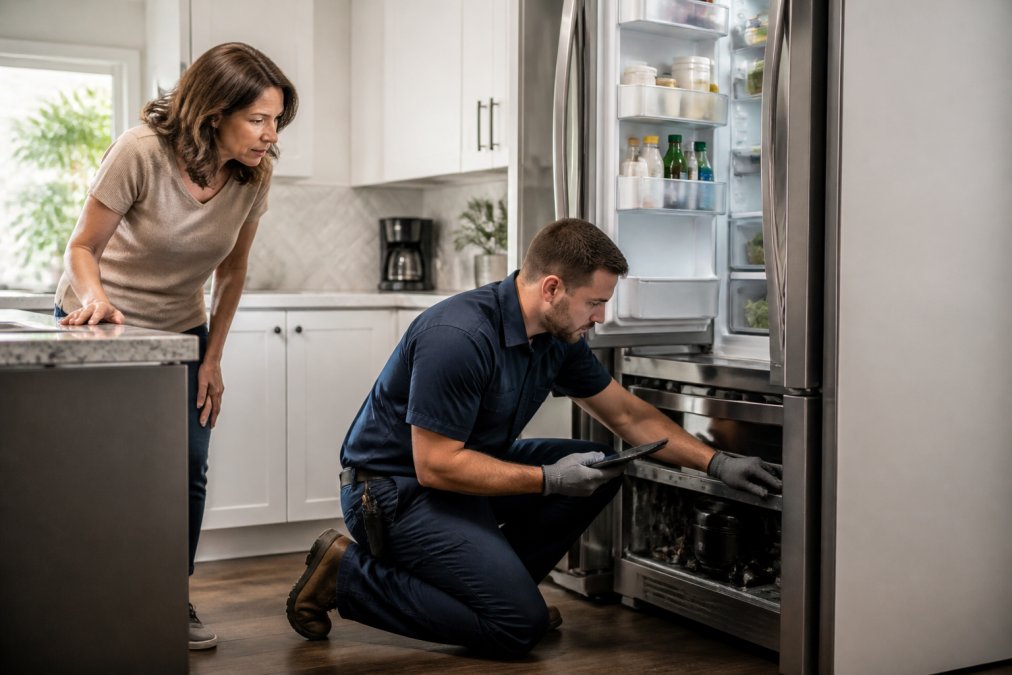
Predictive maintenance is the industry's answer. Sensors watch for anomalies and flag them before failure. In practice, this works better in commercial settings than in a home kitchen, where the appliance may not report anything useful until it stops working.
Connectivity, Wi-Fi Requirements, and Technical Troubleshooting
Wi-Fi connectivity is the single point of failure for every smart feature. If your router is on the far side of the house or your network runs on a band the appliance does not support, setup fails and stays failed.
Before you buy, check three things: your router's band, your signal strength in the kitchen, and whether the appliance needs a dedicated 2.4 GHz network. Many connected devices still require 2.4 GHz, and a combined network can cause pairing headaches.
Technical troubleshooting usually starts with the basics: restart the router, re-pair the device, update the firmware. When that fails, the problem is often the module itself, which means a service call.
Data Privacy and Cybersecurity Risks in Connected Kitchens
Data privacy is the cost nobody puts on the price tag, and it is the single biggest gap in most buying guides. A connected appliance does not just collect usage patterns. Depending on the model, it can log when you open the door, what temperature you set, how often you run a cycle, and, on units with cameras or microphones, what is happening in the room. That data leaves your home and lands in a manufacturer's cloud, where it may be shared with analytics partners, advertisers, or third-party service providers. You rarely get a meaningful opt-out, and the privacy policy is usually buried in an app you installed once and never opened again.
Cybersecurity matters for a different reason: every connected device is another door into your home network. A smart refrigerator, oven, or dishwasher runs firmware that may not be updated as aggressively as a phone or laptop. A common pattern is a device that ships with a default password, a dormant debug port, or an unpatched library that a manufacturer stops supporting after a few years. Once that device is on your network, an attacker who compromises it can pivot to other devices, a laptop, a router, a security camera, without ever touching them directly.
A few concrete mechanisms are worth understanding before you buy:
- Cloud dependency. Most smart features route through the manufacturer's servers, not directly between your phone and the appliance. If the company is acquired, restructures, or shuts down the service, the app stops working even though the hardware is fine.
- Local vs. cloud control. Some models support local control over your own network (often via a hub or a Matter-compatible controller). That reduces exposure because commands do not leave the house. Ask specifically whether the appliance works without an internet connection.
- Camera and microphone creep. A refrigerator with an interior camera or a voice assistant with an always-on mic is a sensor in your kitchen. If you would not put a listening device on your counter, do not accept one built into an appliance.
- Firmware update cadence. A manufacturer that pushes security patches quarterly is a different risk profile than one that has not updated the app in two years. Check the app's release history before you buy.
Practical steps that actually reduce risk:
- Change default passwords and enable two-factor authentication on the manufacturer account.
- Put smart appliances on a separate guest network or VLAN so a compromised device cannot reach your computers.
- Disable features you do not use, cameras, microphones, remote access, voice assistants.
- Keep firmware updated, and check the manufacturer's security advisory page periodically.
- Read the privacy policy for what data is collected and whether it is sold or shared.
The honest summary: you are trading some privacy and some network exposure for convenience. That trade can be worth it, but only if you go in knowing what you are giving up and take basic steps to contain the risk.
Software Obsolescence vs. Hardware Longevity: The Long-Term View
Software obsolescence is the quiet killer of connected appliances. The compressor may be fine in year ten, but if the app was discontinued in year six, the smart features are gone.
Hardware longevity has not improved to match. A well-maintained standard refrigerator can run 12 to 15 years. A connected one may be functionally orphaned long before that, even if it still cools.
This is the trade-off most buyers miss. You are not just buying hardware. You are buying a support commitment that the manufacturer can end whenever it chooses.
Repairability, E-Waste, and the Right to Repair
Repairability is where the smart appliance story gets uncomfortable, and it is the angle most buying guides skip entirely. A traditional appliance fails in ways a competent technician, or a handy homeowner, can diagnose: a burned relay, a worn belt, a failed thermostat. A smart appliance adds a control board, a touch panel, a Wi-Fi module, and firmware that ties them together. When one of those fails, the repair is no longer mechanical. It is electronic, proprietary, and often gated behind tools and parts the manufacturer controls.
A few concrete barriers show up again and again:
- Proprietary diagnostic tools. Some brands require authorized technicians to use manufacturer-specific software to read error codes or pair a replacement board. Without that tool, the appliance cannot be returned to service even if the hardware is fine.
- Parts pairing. On some models, a replacement control board must be paired to the appliance through the manufacturer's servers. If the servers are down, or the model is out of support, the part cannot be installed.
- Board-level vs. component-level repair. A traditional appliance can often be fixed by replacing a $20 relay. A smart appliance may require replacing an entire $300 control board because a single component on it failed.
- Service network gaps. If the nearest authorized technician is hours away, a simple repair becomes a multi-week ordeal. This is the most common failure mode we see.
The right to repair movement is pushing back, and the legal landscape is shifting. Several states have passed laws requiring manufacturers to provide parts, tools, and documentation to independent repair shops and, in some cases, to consumers. The practical effect for homeowners is uneven, coverage varies by product category and by state, so the safe move is to verify the specifics for the exact model you are considering rather than assuming a law protects you.
E-waste is the environmental cost of all this. A working appliance thrown out because its software is dead is a waste of steel, copper, plastic, and refrigerant. Refrigerant in particular is a potent greenhouse gas if not recovered properly, and many jurisdictions require certified recovery. The lifecycle math is simple: an appliance that lasts 15 years has roughly half the annual environmental footprint of one that lasts seven, even if the newer unit is more energy-efficient per cycle.
What to check before you buy:
- Does the manufacturer publish service manuals and sell parts directly to consumers?
- Is there a local repair shop that services the brand, or does everything route through the manufacturer?
- Does the model support local control, so it keeps working if the cloud service ends?
- What is the manufacturer's track record on software support length?
The bottom line: smart features are not free. They shift value from the hardware you own to the software the manufacturer controls, and they make the appliance harder and more expensive to keep alive. If longevity and repairability matter to you, weight those factors as heavily as the feature list.
Who Should Buy Smart Kitchen Appliances (and Who Should Skip Them)
Smart kitchen appliances make sense for specific households, not everyone. Buy them if you value remote monitoring, if someone in the home benefits from voice control, or if you want scheduling that lowers energy consumption.
Skip them if your priority is maximum lifespan at minimum cost, if your Wi-Fi is unreliable, or if you dislike the idea of a manufacturer collecting data about your kitchen.
The middle path works for most people: choose smart features on one or two appliances where they solve a real problem, and keep the rest simple and repairable. That approach captures the convenience without betting the whole kitchen on software that may not survive the decade.
The real challenge with smart kitchen appliances is not choosing features. It is finding a dealer who will set them up correctly, service them when they break, and stock the parts to keep them running. The Appliance Wizard handles all three, with professional installation, factory-trained, certified technicians, in-house repair, and genuine replacement parts for most major makes and models. We also offer financing options and a personal shopper for customers who need extra help. Get started with The Appliance Wizard and build a kitchen that works for the next ten years, not just the next unboxing.
Frequently Asked Questions
What are the primary disadvantages of smart kitchen appliances?
The main drawbacks are higher upfront costs, dependence on a stable Wi-Fi connection, and complex repairs that often require proprietary parts. Data privacy is another concern, since connected devices collect usage data. Software support may also end before the hardware wears out, leaving you with a functional appliance that no longer receives updates or app features.
Are smart kitchen appliances actually worth the higher price tag?
It depends on how you cook and live. If you value remote monitoring, precise temperature control, and voice integration, the convenience can justify the cost. If you rarely use app features or have unreliable Wi-Fi, a standard appliance often delivers better long-term value. Factor in repair costs and software lifespan before deciding.
Do smart appliances require a constant internet connection to function?
Most smart appliances still perform their core functions without Wi-Fi. A connected oven can bake, and a smart refrigerator can cool, even offline. However, app-controlled features, remote monitoring, voice commands, and real-time alerts all stop working without a connection. Some models also lose scheduling or firmware-dependent features when offline for extended periods.
What security risks should I consider with connected kitchen appliances?
Connected appliances can be entry points for cyberattacks if manufacturers use weak default passwords or infrequent firmware updates. Risks include unauthorized access to your home network and collection of personal usage data. To reduce exposure, change default credentials, keep firmware current, and place smart appliances on a separate Wi-Fi network from sensitive devices.