 blog
blog
Smart Laundry Appliances for Beginners: A 2026 Guide
Table of Contents
- What Makes a Laundry Appliance Smart
- Smart Washing Machine Features Worth Understanding
- Smart Washer Without Wi-Fi: Do You Really Need Connectivity
- How to Connect a Washer to Wi-Fi and Get Started
- Best Smart Washer and Dryer for Beginners: What to Look For
- Smart Features Worth Paying For Versus Optional Extras
- Privacy, Data, and Account Security With Connected Appliances
- Energy, Water, and Detergent Savings Over Time
- Common Beginner Mistakes and How to Avoid Them
- Getting Professional Setup and Support
- Frequently Asked Questions
Last Updated: October 7, 2026
What Makes a Laundry Appliance Smart
A smart laundry appliance is a washer or dryer that connects to your home Wi-Fi network and communicates with a mobile app. Unlike traditional machines that run on mechanical timers and dials, smart laundry appliances use sensors, artificial intelligence, and internet connectivity to adjust cycles automatically, send notifications, and let you start or stop loads remotely.
The core difference is control and feedback. A conventional washer runs the cycle you set; a smart washer learns your preferences, adapts to load size, and keeps you informed. At The Appliance Wizard, we help homeowners understand this shift, and it's simpler than most people think.
Smart laundry appliances aren't luxury items for tech enthusiasts. They solve real problems: forgotten loads, guessing whether a load is done, and wasting water on oversized cycles. The connectivity is the vehicle; the value lives in what the machine learns to do with it.
Smart Washing Machine Features Worth Understanding
Modern smart washers pack several features that genuinely change how laundry works. Not all of them are essential, but understanding each one helps you choose the right machine for your household.
Load-Size and Fabric Sensors
Load-size sensors measure drum weight and adjust water levels and cycle times. Fabric sensors detect material type, cotton, delicate, synthetic, and modify temperature and agitation to match. Together they prevent drowning a small load in excess water or underestimating a heavy one.
The benefit: you stop wasting water on small loads and stop damaging delicates with aggressive cycles. Over time that means lower water bills and longer-lasting clothes, for beginners, this feature alone justifies the investment.
Automatic Cycle Selection and AI Technology
Some smart washers include AI-powered cycle recommendation: photograph your laundry, upload it to the app, and the machine suggests the optimal cycle. Others adjust water temperature, detergent amount, and cycle duration automatically when you tap "Mixed Load" or "Heavily Soiled."
This sounds gimmicky until you realize most people run the same three cycles regardless of the load. AI-driven selection adapts to what you're actually washing, not factory defaults, useful for households with varied laundry like gym clothes, uniforms, and delicates.
Automatic Detergent Dispensing
Automatic detergent dispensing systems hold liquid detergent in an internal reservoir and dispense the exact amount based on load size, water hardness, and soil level, no more guessing whether you've added too much or too little.
This prevents excess detergent (wasting money, leaving residue) and underdosing (leaving clothes dingy). You fill the reservoir every few weeks instead of measuring for each load.
Smart Washer Without Wi-Fi: Do You Really Need Connectivity
Not every smart laundry appliance requires Wi-Fi. Some machines include load sensors, fabric detection, and automatic cycle selection without internet connectivity, they adapt to your load but don't send notifications or allow remote control.
For many households, that's enough: you get water savings, better fabric care, and accurate cycle timing without Wi-Fi setup or app management. The trade-off is convenience, no remote start, no cycle-end alerts.
The real question is whether you'll use connectivity. If you start a load and walk away, Wi-Fi has value: a notification when the cycle ends prevents clothes from sitting damp. If you're home and attentive, a non-connected smart washer saves money while still delivering load sensing and fabric protection.
At The Appliance Wizard, we recommend starting with what solves your actual problem. If you forget loads or want remote monitoring, connectivity matters. If you want efficiency without complexity, a non-connected smart washer is a legitimate choice.
How to Connect a Washer to Wi-Fi and Get Started
Connecting a smart washer to Wi-Fi is straightforward if you follow the steps in order. Most machines take 10-15 minutes from unboxing to first connected cycle.
Initial Setup and App Installation
Before touching the washer, download the manufacturer's app, create an account with your email and a secure password, and verify your email if required.
Once your account is active, power on the washer and find the Wi-Fi button on the control panel, usually marked with a wireless signal icon. Press and hold it for 3-5 seconds until a light blinks or a tone sounds, indicating pairing mode.
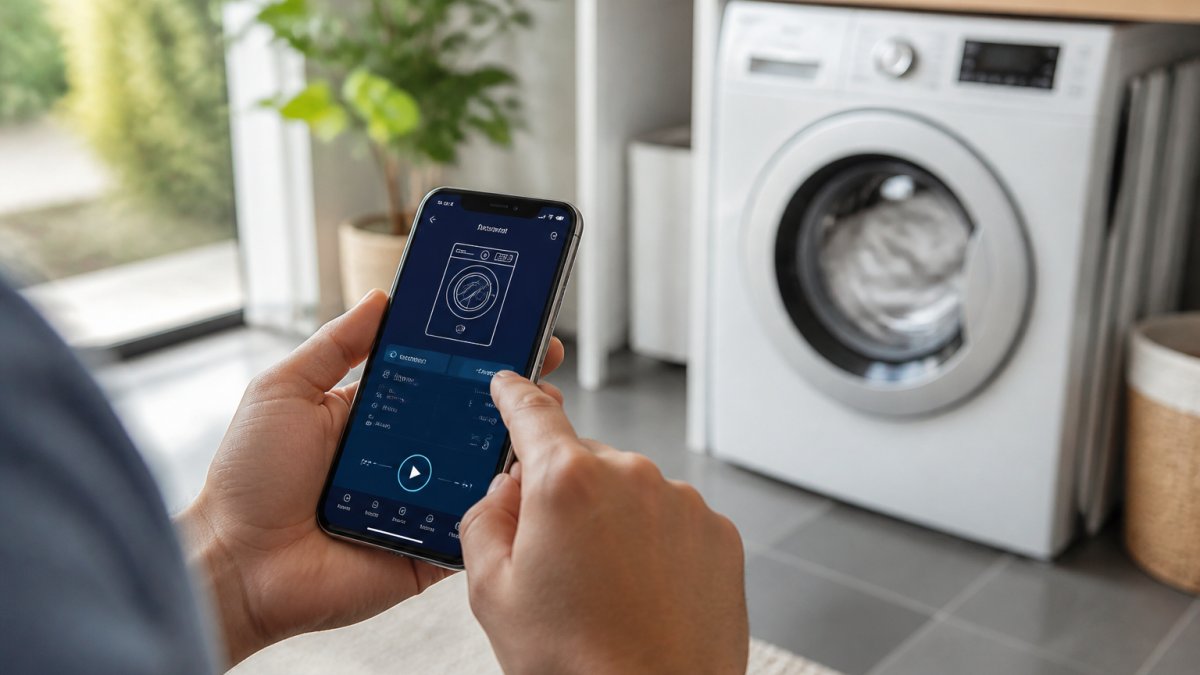
In the app, select "Add Device" or "Connect New Appliance." When your washer appears on the network, tap it and follow the prompts to confirm your Wi-Fi name and password.
Pairing Your Appliance and Testing Remote Access
After entering your Wi-Fi credentials, the washer connects in 30-60 seconds. You'll see a confirmation in the app, and some machines confirm on the control panel too.
Run a short rinse or test cycle from the app, not the machine's buttons. If it starts, pairing is complete and you can control the washer remotely, receive notifications, and access all app features.
Connection problems usually mean weak Wi-Fi in the laundry room. If the washer fails to connect, move your router closer temporarily or ask your provider about extending coverage. Once connected, the washer remembers your network and reconnects automatically after outages.
Best Smart Washer and Dryer for Beginners: What to Look For
Choosing your first smart laundry appliances requires balancing features, budget, and your actual needs. Three decisions matter most: washer type, whether to buy a set, and how much capacity you need.
Front-Load Versus Top-Load Washers
Front-load washers use about 40% less water than top-load models and spin faster, reducing drying time. Most smart washers are front-load because the technology integrates naturally with the tumble-action design.
Top-load washers are easier on your back, faster per cycle, and cheaper, but fewer smart features are available and the water savings don't apply. For beginners who want a truly smart machine, front-load is the safer choice.
The trade-off: front-load washers take longer per cycle (typically 45-60 minutes versus 30-40 for top-load). If speed is your priority, top-load wins. If water savings and fabric care matter more, front-load is worth the wait.
Washer-Dryer Sets and Stacked Laundry Centers
A matched washer-dryer set ensures compatibility and often qualifies for bundle discounts. The machines communicate, and some systems transfer a load from washer to dryer with a single app command.
Stacked laundry centers mount the dryer on top of the washer. They save floor space in small homes but limit capacity and are harder to service.
For most beginners, a matching set of side-by-side units offers the best balance: smart features, bundle pricing, and easier maintenance without sacrificing capacity.
Capacity and Space Considerations
Smart washers range from 4.5 to 5.8 cubic feet. A 4.5 cubic foot model handles everyday loads for three to four people; households of five or more benefit from 5.0+ cubic feet to reduce loads per week.
Measure your laundry room before shopping, not just the footprint, but door swing, drainage access, and dryer ventilation. Many beginners buy the perfect machine only to find it won't fit through the basement doorway.
The Appliance Wizard team can help you assess your space and recommend machines that fit both your room and your household size. Visit our showrooms in Marion or Carbondale, or contact us online to discuss your specific situation.
Smart Features Worth Paying For Versus Optional Extras
Most smart laundry appliance features fall into three buckets: money- or clothes-saving, time- or attention-saving, and mostly marketing. Beginners should pay for the first, consider the second, and skip the third unless it's bundled free.
Features that earn their price
Load-size and fabric sensing. These sensors weigh the drum and detect fabric type, then adjust water level, temperature, and agitation. The payoff is real, no overfilling for small loads, no heavy cycles on delicates. This is the single feature most worth paying for because it works on every load automatically.
Automatic detergent dispensing. A reservoir holds weeks of HE liquid detergent, and a pump doses based on load size and soil level. You stop over-dosing (wasting detergent, leaving residue) and under-dosing (dingy clothes). If you guess at the cap today, this pays for itself in detergent savings over a few years.
Wi-Fi connectivity with cycle-end notifications. The benefit is narrow but real: an alert when the load finishes, so clothes don't sit damp and develop mildew. Worth having if you routinely forget loads; a nice-to-have otherwise.
Features worth considering, not prioritizing
AI cycle recommendation. Some washers suggest a cycle from a photo, or offer a "Mixed Load" button that adjusts automatically. In most consumer models this is a rules engine plus sensors, not true machine learning. Helpful if your laundry varies a lot, but most households repeat three to five cycles, so the benefit is marginal.
Voice assistant integration. Convenient if you already use a smart speaker in the laundry room, but it duplicates the app. Don't pay a premium for it.
Advanced diagnostics. Alerts about minor issues rarely prevent a service call, they just tell you something is wrong. Treat this as a bonus, not a reason to buy.
Features that are mostly marketing
Specialty cycles beyond the standard 10-15. Most households use a handful of cycles. A washer with 30 cycles isn't better than one with 12 if you never touch the extras.
Premium finishes and large smart displays. A glass lid or color touchscreen doesn't clean clothes better. If the price difference is small and you like the look, fine, but don't let it drive the decision.
How to judge the premium
The gap between a well-equipped smart washer and an overloaded one is often several hundred dollars. List the features you'll actually use weekly, then compare models on those alone. If two machines match on load sensing, fabric sensing, and detergent dispensing, the cheaper one is usually the better buy for a beginner.
Privacy, Data, and Account Security With Connected Appliances
When your washer connects to the internet, it collects data: cycle times, water and energy usage, and potentially your laundry habits. This data goes to the manufacturer's servers and is stored in your account.
Manufacturers use this data to improve products, offer personalized recommendations, and sometimes sell anonymized insights to third parties. Your individual data is typically protected by the manufacturer's privacy policy, but read it before connecting your machine.
Basic security practices protect your account:
- Use a unique, strong password for your appliance app account
- Enable two-factor authentication if the app offers it
- Do not share your login credentials with others
- Log out of the app when you're not using it
- Review your account settings periodically to see what data is being collected
If privacy is a significant concern, a non-connected smart washer gives you the efficiency benefits without the data-sharing. Trading connectivity for privacy is a legitimate choice.
Energy, Water, and Detergent Savings Over Time
Smart laundry appliances save resources in three specific ways, and understanding the mechanism helps you estimate whether the savings will matter in your home.
Where the savings come from
Water. A conventional top-load washer fills to a preset level regardless of load size; a smart washer with load sensing fills only what the load requires. Savings scale with how often you run partial loads, households that wash small loads frequently see the biggest drop.
Energy. Most of a washer's energy use goes to heating water, not running the motor (Clothes Washers). Smart washers select cooler temperatures when fabric and soil allow, and spin faster so the dryer runs shorter. The dryer is typically the largest energy user in the pair, so reduced drying time has an outsized effect.
Detergent. Automatic dispensing measures to the load instead of your guess. If you habitually fill the cap to the top line, you're likely using more than needed. Precise dosing cuts consumption and residue buildup.
How to estimate your own savings
Check your utility bill for electricity and water rates, then note how many loads you run weekly. Households running several loads a week typically see a modest but consistent reduction in water and detergent use, with energy savings depending on dryer use. Exact figures vary too much by machine, rates, and habits to promise a dollar amount, treat blanket claims with skepticism, including from manufacturers.
What actually drives the payback
The payback period depends on three variables:
- Your current rates. Higher water and electricity rates shorten payback.
- Your baseline habits. If you already run full loads cold and measure detergent carefully, savings will be smaller.
- The price premium. A smart washer costing a few hundred dollars more than a conventional model must save that much to break even.
In many households, efficiency gains offset the higher price over several years, but convenience and fabric care are often the bigger day-one benefits. If saving money is your only goal, a conventional high-efficiency washer used carefully may be the better financial choice.
How to verify savings after you buy
Many smart washers log water and energy use per cycle in the app. Check monthly for the first few months against your old utility bills. If you see no difference, run fuller loads, use cooler settings, and let the sensors work rather than overriding them.
Common Beginner Mistakes and How to Avoid Them
Mistakes happen when beginners underestimate the learning curve or skip setup steps. Here's what trips people up.
Mistake 1: Assuming the app controls everything. The app is a tool, not a requirement, the physical buttons still work. The washer runs fine without connectivity; the app just adds convenience.
Mistake 2: Overloading the machine. Load sensors work only if you respect capacity. An oversized load defeats their ability to adjust, they're guides, not magic, and assume reasonable loading.
Mistake 3: Using the wrong detergent. Most smart washers with automatic dispensing require HE liquid detergent; regular detergent can clog the dispenser or damage the system. Check your manual before your first load.
Mistake 4: Ignoring firmware updates. Updates fix bugs, improve app stability, and add features. Skipping them leaves your machine on older software prone to connection issues. Enable automatic updates in your app settings.
Mistake 5: Setting up in a dead Wi-Fi zone. Weak signal in the laundry room means the machine struggles to stay connected. Test Wi-Fi strength first; if it's weak, consider a mesh system or moving your router.
Getting Professional Setup and Support
DIY setup is possible, but professional installation ensures everything works from day one. Improper installation can void your warranty, cause drainage problems, or result in poor Wi-Fi connectivity.
The Appliance Wizard offers professional installation and setup for all smart laundry appliances. Our factory-trained technicians handle delivery, installation, Wi-Fi connection, and app configuration, test the machine with you, and answer questions before we leave, eliminating DIY stress and protecting your investment.
If you bought elsewhere and need help connecting, we offer setup services too, plus ongoing support if your machine stops connecting or you have feature questions.
Choosing your first smart laundry appliances doesn't have to be overwhelming. Start with understanding what features actually matter, load sensing, fabric detection, and connectivity if you want remote control, and skip the extras that don't solve real problems. The Appliance Wizard can help homeowners navigate this transition with confidence. Visit our showrooms in Marion or Carbondale, explore our selection of smart washers and dryers, and let our team help you find the right fit for your home. We handle the installation, setup, and support so you can focus on cleaner clothes and lower utility bills. Learn more about smart appliance technology from ENERGY STAR
Frequently Asked Questions
Is it worth getting a smart washing machine?
Smart washers add convenience through remote monitoring, automatic cycle selection, and load-size sensors that optimize water and detergent use. If you want cycle-completion alerts on your phone or prefer hands-off operation, they justify the cost. For budget-conscious buyers or those who do basic laundry infrequently, a standard washer may be sufficient. The real value emerges for households doing frequent loads or those managing multiple laundry tasks.
Can you use a smart washer without Wi-Fi?
Yes. Most smart washers function as fully automatic machines without internet connectivity. You lose remote access and app-based alerts, but the core wash cycles, fabric sensors, and automatic detergent dispensing still work. This makes them ideal for beginners hesitant about connectivity or those with unreliable home Wi-Fi. Many models let you choose: connect later when ready, or skip it entirely.
How do you connect a smart washer to Wi-Fi?
Download the manufacturer's app, create an account, and follow the pairing wizard. Most washers have a Wi-Fi button or settings menu on the control panel. Hold it until the light flashes, then select your home network from the app and enter your password. The washer connects within 1-2 minutes. Keep your phone and washer within 15-20 feet during setup. If connection fails, restart both the washer and your router.
What should beginners look for in a smart washer and dryer?
Start with load-size and fabric sensors to avoid guesswork, automatic cycle selection to simplify operation, and app control for remote monitoring. For dryers, moisture sensors prevent over-drying and save energy. Washer-dryer sets offer matching aesthetics and coordinated features. Verify Wi-Fi reliability in your home before prioritizing connectivity. Focus on reliability, capacity for your household size, and features you'll actually use, not every option matters for beginners.